

As rightly said, “Pictures speak 1000 words” : Its time to talk pictures in Facebook chat. Gone are the days, when you were simply using boring Facebook emoticons. Move on and use custom images in Facebook chat which is as easy as 1-2-3. Amitech‘s latest website: PicinChat.com offers larger images to attach in Facebook chat by simply copy-pasting the code the website generates as you upload your custom image.
What is PicinChat.com?
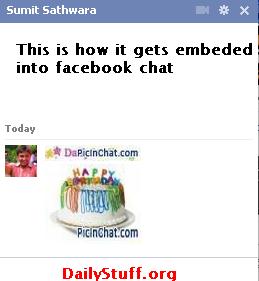
This is how you can send images to your friends on Facebook Chat. Here i sent a birthday cake to my friend and also my Blog’s logo (its too small  )
)
It works very easy:
Step 1: Visit PicinChat.com
You can visit the website mentioned above and then select images from the display area on home page. Alternately, you can upload your own image by clicking on “Upload Image” section on the website. I uploaded my blog’s logo as you can see above.
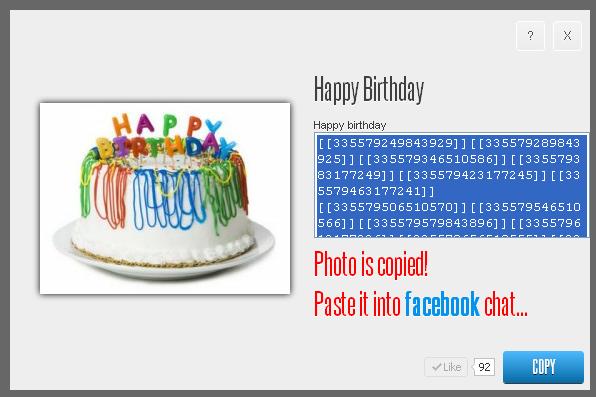
Step 2: Select and Copy the code:
See the image below to understand this step clearly
Step 3: Paste and Have fun!
Copy the code which a dialog box will generate. Paste the code in the facebook chat and press “Enter” : Eureka! You just sent an image to your friend in Facebook Chat.
Who is behind this?
The developer of this website is Amitech Company, Founded by Amit Panchal and Ruchit Patel. They also own famous All Event in my City (Allevents.in) website which features Facebook Events in a web-portal.
Talk to Founders of this website: Amit Pachal | Ruchit Patel






No comments yet.